Magazine Template – Sport: Your Blueprint for Dynamic Editorial Design
Crafting Visual Impact with a Professional Framework
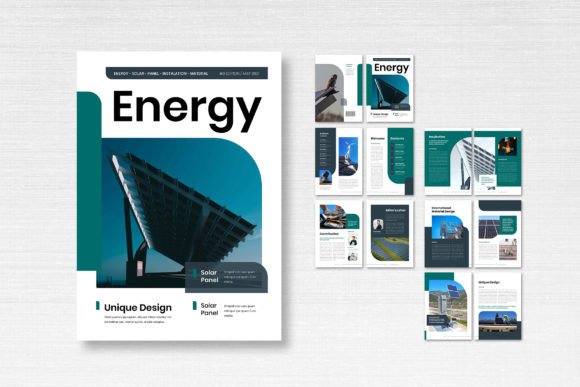
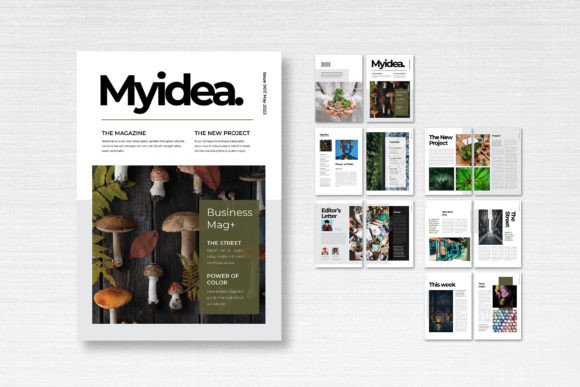
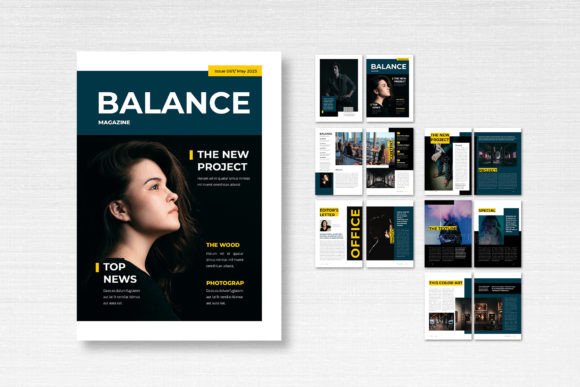
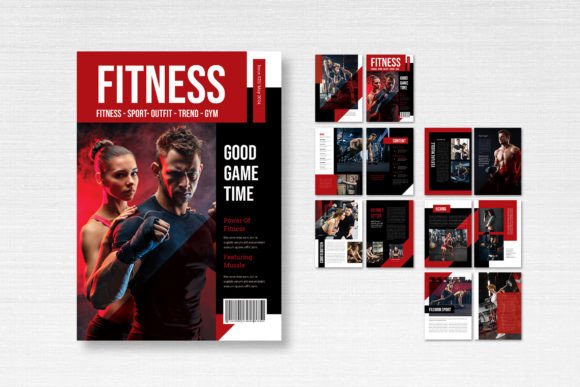
Every designer knows the feeling: staring at a blank page, charged with creating a publication that's both visually arresting and structurally sound. The Magazine Template – Sport is built for that exact moment. It's not a finished product, but a robust, professional foundation. This Adobe InDesign template provides a clean, modern aesthetic tailored for high-energy content. Think bold typography, clear visual hierarchy, and ample space for striking photography. Its personality is confident and athletic, making it ideal for projects that need to convey motion, vitality, and clarity. The overall appeal lies in its balance—it feels contemporary without being trendy, structured without being rigid.
Visual characteristics are meticulously considered. The template adheres to the standard A4 size (21cm x 29.7cm), ensuring compatibility for both digital distribution and professional printing. With 300 DPI resolution, CMYK color format, and a 3mm bleed, it's print-ready from the start. The 14 custom pages, including front and back covers, offer a complete narrative arc for any short-run publication. The use of smart layers and a neatly organized file structure means you spend less time searching for elements and more time designing. The free fonts specified (from DaFont or Google Fonts) ensure accessibility and eliminate licensing headaches, a practical consideration for budget-conscious creators.
Strategic Applications Beyond the Sports Section
While its name suggests athleticism, the Magazine Template – Sport's utility is far broader. Its clean, modular design makes it a versatile asset for a range of projects. For entrepreneurs and small business owners, it's a rapid way to produce professional lookbooks, product catalogs, or investor pitch decks. Marketers can leverage it for internal company magazines, quarterly reports, or event programs that need to impress stakeholders. The template's structure naturally supports strong editorial design principles, guiding the reader's eye through a story or set of information.
Consider its application in brand identity work. A fitness studio could use it to create a membership guide. A tech startup might adapt it for a user manual that feels less clinical. A blogger could produce a premium PDF guide or a print-on-demand magazine for their audience. The template acts as a design asset that enforces consistency, ensuring every page aligns with the same professional standard. This consistency is crucial for building recognition and trust, whether you're designing for a client or your own brand.
Maximizing Your Design with the Template's Features
Working with the Magazine Template – Sport is an exercise in efficient, professional workflow. The key is to see it as a flexible skeleton. The pre-defined grids and master pages handle the heavy lifting of alignment and spacing, which are fundamental to modern typography and readability. You can then inject your own personality through color, imagery, and text. The font pairing opportunity here is significant. The template's suggested fonts provide a starting point, but you can experiment. Try pairing a strong sans serif font for headlines with a highly legible serif font for body copy to create a classic, authoritative feel. Alternatively, use a single, versatile premium font family across all weights to achieve a sleek, minimalist look.
Before you dive in, evaluate the project fit. Does your content require dense text blocks, or is it image-heavy? The template's 14 pages are ideal for focused narratives, not encyclopedic tomes. Test your chosen imagery against the layouts. A powerful sports action shot will thrive in the full-bleed image slots, while a detailed product photograph might need a more controlled, bordered presentation. Always review the included styles for paragraph and character formatting—these are your tools for creating clear visual hierarchy, distinguishing pull quotes from body text, and ensuring captions are consistently styled.
Finally, remember the note on licensing. The template files are yours to use, but the preview images are not. This is standard practice. Source your own high-quality visuals from stock sites or your own portfolio. The commercial license for the template itself allows you to use it for client projects and commercial work, making it a genuine tool for logo design extensions, packaging design inserts, or social media graphics that need a cohesive print companion. By respecting the file's organization and leveraging its professional setup, you transform a template from a shortcut into a strategic component of your creative toolkit.